A remote amateur radio exam feels a lot easier when you know exactly what to have ready before the session starts. If you are asking, what do I need for remote exam appointments, the short answer is this: a reliable computer, a stable internet connection, a quiet room, valid identification, and a willingness to follow the proctors’ instructions carefully.
That may sound simple, but the details matter. Remote testing is designed to be convenient, not casual. The exam still follows strict ARRL and FCC-related procedures, and your setup has to support both security and fairness. The good news is that most candidates already have what they need at home. A little preparation is usually the difference between a smooth session and an avoidable delay.
What do I need for remote exam day?
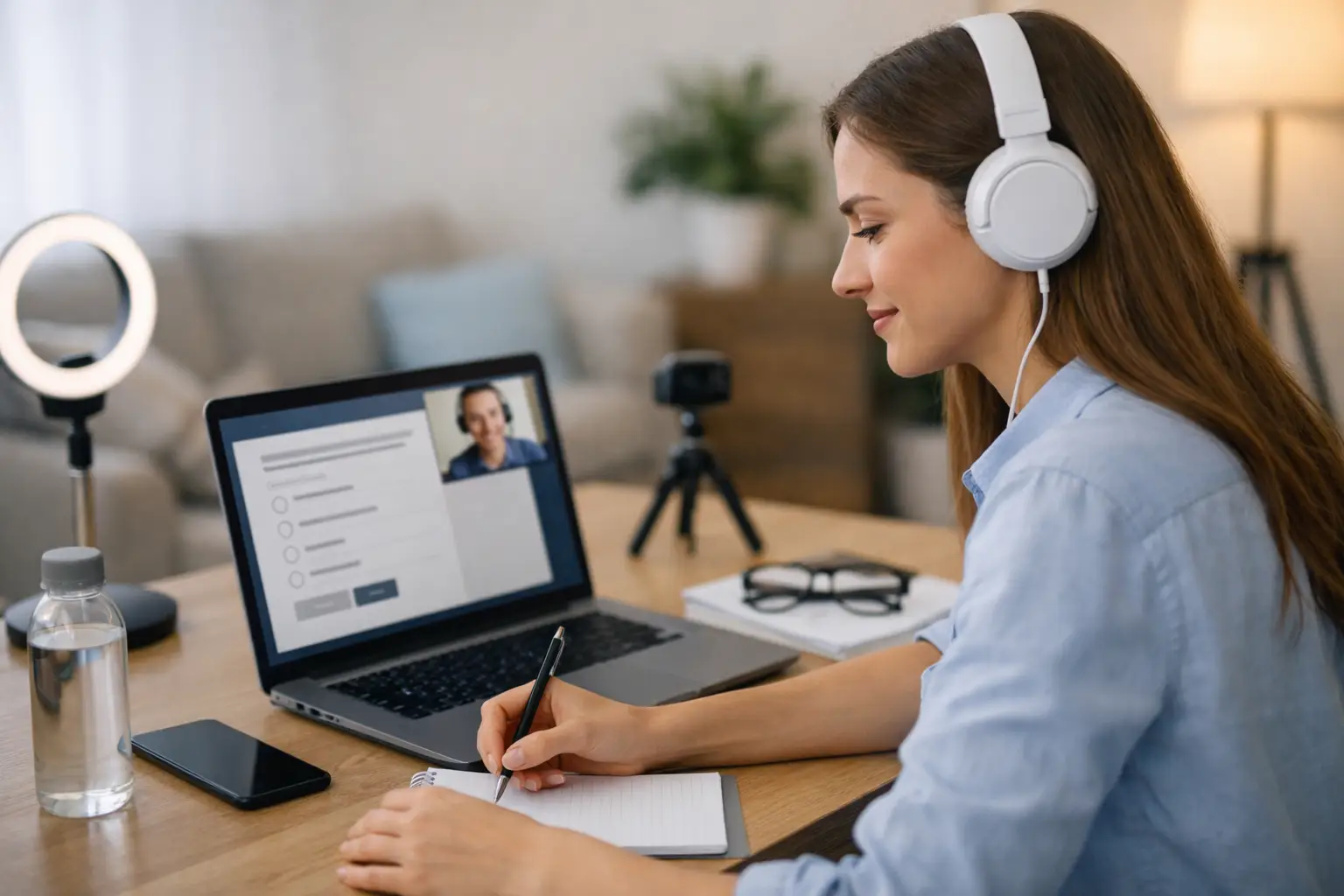
For most remote amateur radio exam sessions, you will need a desktop or laptop computer with a webcam and microphone, plus internet access strong enough to support live video. A phone or tablet may also be required as a second camera, depending on the exam team’s process. You should also expect to show your photo ID, confirm your surroundings, and keep your testing area clear of prohibited materials.
This is where some candidates get tripped up. They assume remote means flexible in every way. In reality, remote exam teams must verify your identity, observe the room, and monitor the testing environment throughout the session. That protects the integrity of your result and ensures your successful exam can be processed without issues.
The equipment that usually matters most
Your main device should be dependable. A laptop is often the easiest choice because it has a built-in camera, microphone, and battery backup if power flickers. A desktop can work just as well if your webcam and audio are clear. What matters most is that the proctors can see and hear you without interruption.
Your internet connection needs to be stable, not just fast on paper. A connection that drops every few minutes can pause or even stop the session. If possible, test your setup in the exact room where you plan to take the exam. Some homes have excellent internet in one room and poor signal in another.
Many teams also ask for a second device. This is commonly a smartphone placed to the side or behind you so proctors can view your screen, hands, and workspace from another angle. If your session requires that, make sure the device is charged and can stay connected for the full appointment.
Good lighting helps more than people expect. If your face or desk is hard to see, the proctors may need extra time to confirm your environment. Natural light is fine, but avoid sitting with a bright window directly behind you. A simple lamp facing your desk can make the check-in process much easier.
Your room setup matters more than your gear
A quiet private room is one of the biggest parts of remote exam readiness. Proctors need to know that no one can assist you and that distractions will not interfere with the session. Shared spaces, open doors, televisions, and people walking through the background can all cause problems.
Clear your desk or table before the exam begins. In most cases, you should remove papers, books, extra electronics, notes, smart speakers, and anything else that could raise questions during the room scan. Even harmless clutter can slow things down because the proctors may need to ask what an item is or request that it be moved.
If you are using a second camera, think ahead about where it will go. A stack of books, a small tripod, or a phone stand can work well. You do not want to improvise that part while the session is already underway.
There is some room for variation here because each volunteer examiner team may have slightly different procedures. One team may want a wider room scan, while another may focus more on desk clearance and camera angles. That is normal. The best approach is to read your confirmation instructions carefully and follow them exactly.
ID, registration, and paperwork
Candidates often focus on the technology and forget the administrative side. You will generally need a legal photo ID. If you are under 18 or do not have a driver’s license, alternative identification may be accepted, but that should be confirmed before the session.
You may also need your FCC Registration Number, or FRN. If you do not already have one, get that taken care of well before exam day. Without it, processing your license application can become more complicated than it needs to be.
If you are upgrading, have your existing license information available. Some teams may ask to verify current license status or prior exam credit. If you recently passed a previous element and have documentation, keep that ready too.
This is also a good time to double-check the name on your registration. Small mismatches between your ID and your exam paperwork can lead to avoidable questions. It is much better to catch that early than while proctors are waiting.
Software and access checks before the session
Remote exam sessions commonly use Zoom or a similar live meeting platform. Do not wait until five minutes before your appointment to install software, test your camera, or figure out microphone settings. Join a practice meeting with a friend if needed, just to confirm everything works.
Close unnecessary apps before the exam. Video streaming, cloud backups, and other background tools can affect performance. Notifications can also be distracting. A clean, quiet computer session helps both you and the exam team.
Make sure your devices are plugged in or fully charged. This sounds obvious, but it is one of the easiest mistakes to prevent. The same goes for software updates. If your computer decides to restart for an update right before the exam, the convenience of remote testing disappears quickly.
What not to have with you
When people ask what do I need for remote exam sessions, they are really asking two questions: what should I have, and what should I put away?
In most cases, you should not have notes, books, printed question pools, extra monitors, headphones, smartwatches, or another person in the room. Calculators may be restricted or unnecessary depending on the exam and the team’s rules. Food and drinks are usually not the issue. Unapproved reference materials and communication devices are.
This is one of those areas where it depends on the specific instructions you receive. Some items may be allowed if shown to the proctors first. Others may need to be removed entirely. If you are unsure, ask before exam day rather than guessing.
How to make the experience less stressful
Remote exams are often less intimidating than in-person sessions because you are in a familiar environment. Still, nerves can show up when the camera turns on and the check-in begins. A little structure helps.
Set up early. Give yourself at least 20 to 30 minutes before the appointment to settle in, adjust the camera, and silence distractions. Let others in your home know you cannot be interrupted. Put pets in another room if they are likely to make a surprise appearance.
It also helps to treat the instructions as part of the process, not as obstacles. The room scan, ID check, and device positioning are there to protect everyone. They support a valid exam result and make the process fair for all candidates.
If you are working with an experienced remote team such as Middle Tennessee Exams, you can also expect a more organized check-in and clear communication. That does not remove the rules, but it does make them easier to follow.
A simple remote exam checklist
Before your appointment, confirm that you have:
- A desktop or laptop with webcam and microphone
- Stable internet access
- A quiet private room with a clear workspace
- A second camera device if required
- Valid photo ID
- Your FRN and any needed license or upgrade documents
- Zoom or the required meeting software installed and tested
- A charger or power connection for all devices
That is the practical answer to what do I need for remote exam readiness. You do not need a complicated home office or expensive equipment. You need a compliant setup, a little preparation, and an exam team that communicates clearly.
A remote amateur radio exam should feel straightforward. When your room is ready, your technology is tested, and your documents are in reach, you can spend less energy worrying about the process and more energy focusing on the test itself.