Your online amateur radio exam begins before the first question appears. Exam day identity verification is the short but essential process that confirms the person joining the remote session is the registered candidate. It protects the value of every FCC license earned through online testing and helps the volunteer examiner team administer a fair, compliant session for everyone.
For most candidates, the process is straightforward. A few minutes of preparation can prevent last-minute scrambling, avoid a delayed start, and let you focus on what matters: demonstrating what you know.
Why identity verification is part of remote testing
An amateur radio license carries real operating privileges and responsibilities. Whether you are taking the Technician exam for the first time or upgrading to General or Extra, the testing process must show that the result belongs to the candidate who earned it.
At an in-person session, volunteer examiners can check an ID and observe the testing room directly. Remote testing requires comparable safeguards through live video, document review, and a structured check of your testing environment. This is not meant to make the experience intimidating. It is how an ARRL-certified remote exam session maintains the standards candidates, examiners, and the amateur radio community rely on.
The exact sequence may vary by exam team and session platform, so always follow the instructions provided with your appointment. MidTENN Nationwide Testing gives candidates clear guidance before the session so there are no surprises when it is time to test.
What to have ready before your session
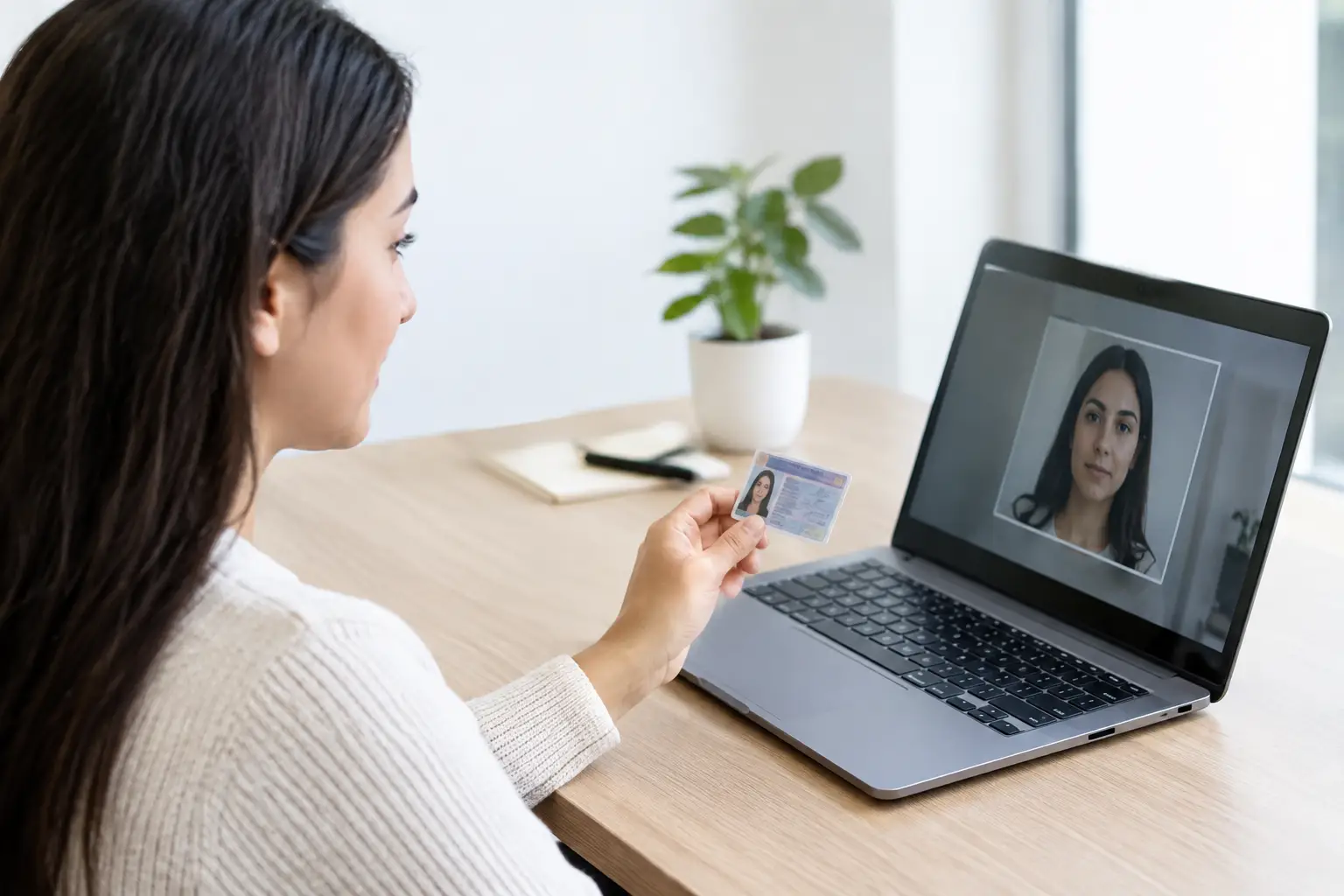
The easiest identity check is the one you prepare for before you open Zoom. Have your required identification nearby, make sure it is current and readable, and be ready to hold it up to your webcam when asked. Your exam team will tell you which forms of identification it accepts.
A government-issued photo ID is commonly used because it allows the examiners to compare your name and photo with the person on camera. If you have a recently changed name, a name that differs from your registration, or a concern about the identification you can provide, contact the exam team ahead of time. A quick question before exam day is far better than discovering a mismatch when the session is about to begin.
You should also ensure that the name used during registration is accurate. If you already hold an amateur radio license, provide your call sign and FCC Registration Number exactly as requested. These details support the paperwork that follows a successful exam, particularly for license upgrades.
Good lighting matters more than many candidates expect. Examiners must be able to see both you and your identification clearly. Sit facing a light source when possible, rather than placing a bright window or lamp directly behind you. Clean your webcam lens and avoid using a virtual background, which can make visual verification more difficult.
How exam day identity verification usually works
When you join your scheduled remote exam session, allow time to settle in rather than arriving at the exact minute your appointment begins. The examiners may ask you to confirm your name and show your face on camera. They will then guide you through their identity and room-check procedures.
Typically, you will be asked to display your photo ID long enough for the examiner to read it and compare the photo. Hold the card still, close enough to the camera to be legible, but do not cover the information the examiner needs to see. If the image is blurry, adjust your distance from the camera or improve the room lighting rather than rushing through the check.
The team may also ask you to use your webcam or a mobile device to show your workspace and the surrounding room. This helps confirm that the testing area meets the session rules and that prohibited materials or unapproved assistance are not present. It can feel unfamiliar the first time, but it is a normal part of a professionally administered online exam.
Remain on camera and follow directions one step at a time. The examiner team is not looking for a perfect office or studio. They need a clear view of the environment and confidence that the exam can be completed under the required conditions.
Your workspace should be simple and ready
Choose a quiet room where you can test alone without interruptions. Clear your desk or table of notes, books, reference materials, extra electronics, and anything else that could create questions during the room check. Keep only the items your exam team has approved.
If you are permitted to use a calculator, confirm the session rules in advance and have it ready for inspection. Do not assume that a device allowed in one testing format is automatically allowed in another. The instructions for your scheduled remote session are the standard to follow.
A reliable internet connection and a fully charged device are equally important. Identity verification depends on clear video and audio. If your connection drops, the examiners must protect the integrity of the session, which may mean pausing or rescheduling rather than simply continuing where you left off.
Common issues that can delay a remote exam
Most verification delays come from small, fixable problems. A candidate may have registered under a nickname while their ID uses a legal name, or a webcam may struggle to focus on a photo ID. A dim room, poor audio, unexpected visitor, or cluttered desk can also slow down the check.
Privacy concerns sometimes cause hesitation as well. Candidates understandably want to protect personal information. Your examiner team should explain what it needs to verify and how to present documentation during the session. Do not alter, obscure, or refuse to show required identification without discussing the issue in advance, since that can prevent the team from completing the required check.
Plan for family members, pets, deliveries, and notifications before the session begins. Put your phone away unless the team specifically directs you to use it for the room scan. Let people in your household know that you need uninterrupted time. These simple steps make the experience calmer for you and easier for the volunteer examiners.
A practical pre-exam check
About 15 to 30 minutes before your appointment, take a moment to confirm that you are ready. A brief check reduces stress and gives you time to solve a technical problem without feeling rushed.
- Confirm your appointment time and account for your local time zone.
- Place your accepted photo identification within reach.
- Test your camera, microphone, speakers, and internet connection.
- Clear your workspace and close unnecessary browser tabs or applications.
- Arrange lighting so your face and ID will be easy to see.
- Review the instructions for approved materials, calculators, and device use.
This is not busywork. It is the remote equivalent of arriving early at an in-person exam site with your paperwork and identification ready.
What happens after verification
Once the examiners have completed identity verification and the room check, they will explain the next steps for your exam. Listen carefully to instructions about communication, breaks, technical issues, and what to do when you finish. Asking a process question before the exam starts is always better than guessing during the session.
After you submit your answers, the team will review the result according to its procedures. One of the benefits of a well-organized remote session is prompt feedback, so you can leave knowing whether you passed and what comes next. For a successful candidate, the remaining paperwork helps move the result toward the FCC licensing process.
Identity verification may be the most formal part of an otherwise friendly online exam experience, but it serves every honest candidate. By coming prepared, you help protect the credibility of your license, respect the volunteers administering the session, and give yourself the best chance to begin the exam feeling steady and confident. Set up your space, have your ID ready, and let the testing team guide you from there.