A remote amateur radio exam may happen at your kitchen table, but the standard is the same as testing in a local session: every candidate must have a fair opportunity to demonstrate their own knowledge. Remote exam security is what makes that possible. It protects the value of an FCC license, supports the Volunteer Examiners who administer the session, and lets qualified candidates test from home with confidence.
For many aspiring hams, the convenience is obvious. There is no drive across town, no need to wait for the next local session, and no need to rearrange an entire weekend around a test site. But convenience only works when the process is organized, transparent, and consistently applied. A well-run online session should feel professional and respectful, not intimidating.
Why Remote Exam Security Matters
An amateur radio license represents more than a passed test. It gives an operator access to radio privileges that carry real responsibilities, from operating within authorized frequencies to communicating effectively during public service and emergency situations. The examination process must therefore verify that the person receiving credit is the person who completed the exam without outside assistance.
That is why remote testing uses a combination of identity verification, live observation, controlled testing conditions, and documented procedures. These steps are not designed to assume the worst about candidates. They exist to give every candidate the same fair conditions, whether they are taking a first Technician exam or upgrading to General or Extra.
Strong security also benefits candidates. When procedures are clear, there is less uncertainty about what to expect. You can prepare your room and equipment in advance rather than worrying about surprises at check-in. You also know that your successful result is recognized because it was earned through a legitimate, carefully administered exam.
What Secure Remote Testing Looks Like
Remote exam security is not one single tool. It is a practical process with several parts working together. The exact requirements can vary by exam team and session, so candidates should always follow the instructions they receive from their testing provider.
Identity verification comes first
Before an exam begins, candidates are typically asked to show valid photo identification or provide the identification required for their situation. The exam team also confirms the information needed for the application process, including an FCC Registration Number when applicable.
This is a simple but essential step. It connects the person on camera with the person whose exam record will be submitted. Candidates can make check-in smoother by having their identification ready, using the name associated with their registration information, and joining the session on time.
The testing area must be private and clear
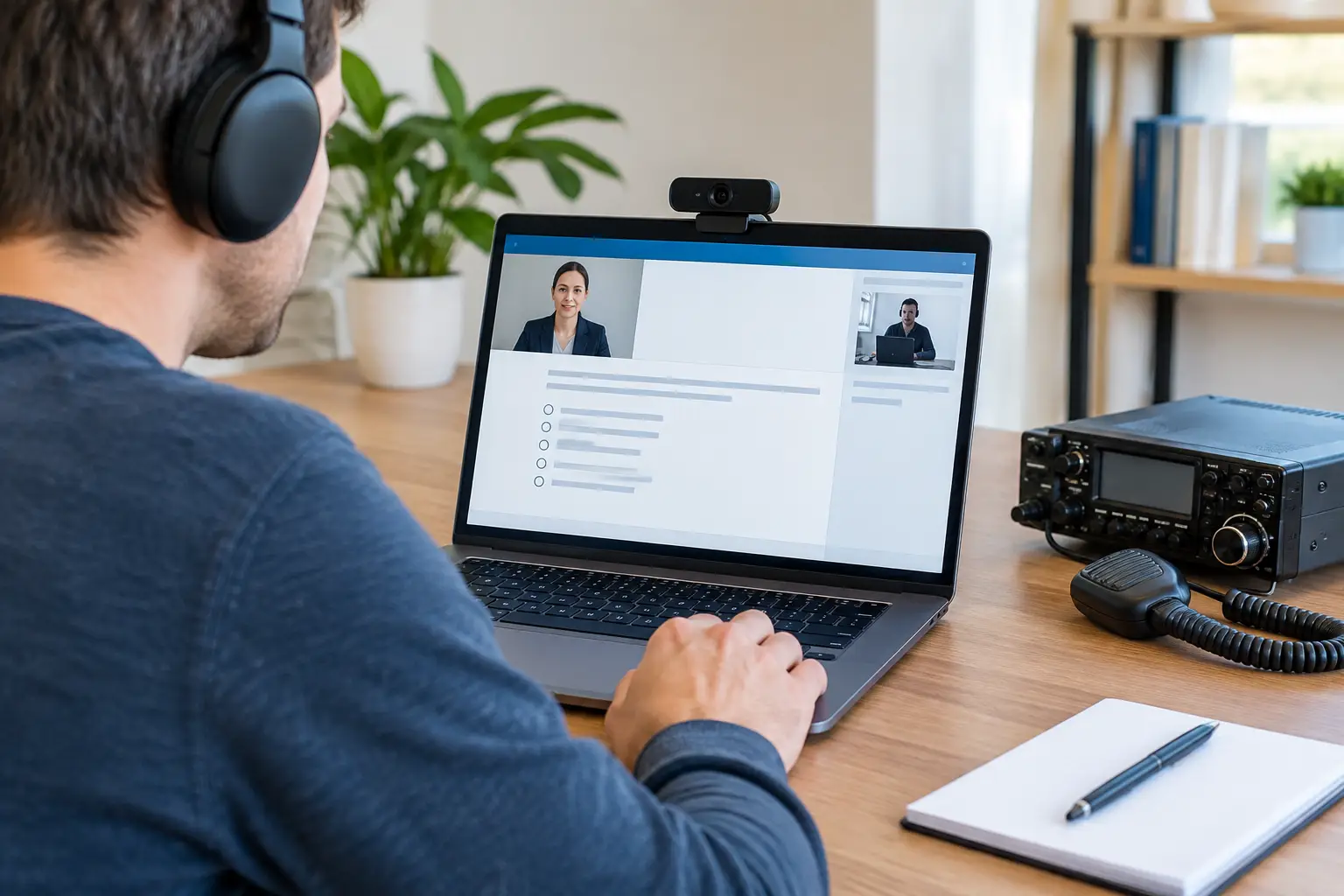
A remote test room should be quiet, private, and free from materials that could provide answers. Proctors may ask for a camera scan of the room, desk, and nearby surfaces before testing starts. They may also need to see that other people are not present or able to assist off camera.
A clear workspace is the easiest approach. Remove books, notes, extra screens, printed reference materials, headphones, smart devices, and unrelated papers from reach. If the exam team requests a room scan, cooperate fully and move the camera slowly enough for the proctors to see the space. This is not a test of your housekeeping. It is a way to establish fair conditions for everyone in the session.
Live proctors observe the session
Remote proctoring for amateur radio exams relies on trained people, not just automated software. Volunteer Examiners observe candidates through video and audio during the session, provide instructions, and address questions about the testing process. Their role is to protect exam integrity while treating every candidate with courtesy.
Candidates should remain visible on camera, keep their microphone available as instructed, and avoid leaving the testing area once the exam has begun. If something unexpected happens, such as a connection problem, a pet entering the room, or a household interruption, say so immediately. Honest communication lets the proctors determine the appropriate next step.
Devices and screen use are controlled
The computer used for the exam must meet the session’s technical requirements. Depending on the provider’s process, candidates may need to use Zoom or another approved video platform, share a screen, position a camera so the workspace is visible, or use a second device for a camera view.
This is where preparation prevents stress. Test your camera, microphone, internet connection, and battery or power supply before exam day. Close messaging apps, browser tabs, notifications, and programs you will not need. Do not rely on a phone as a backup resource during the exam unless the team specifically instructs you to use it for the proctoring setup.
How Candidates Can Prepare Without Added Stress
Security requirements are much easier when handled before the session begins. Read every email and instruction from the exam team carefully, including guidance about acceptable identification, the room setup, calculator rules, payment, registration information, and technical check-in.
Set aside enough time for the entire appointment, not only the questions themselves. Check-in, identity review, equipment setup, and proctor instructions are part of a properly administered remote session. Joining early gives you time to resolve a camera angle or connection issue without feeling rushed.
It also helps to choose the right location. A spare room or quiet home office is ideal, but many candidates can use a dining room, bedroom, or other private space if it can be cleared and kept free from interruptions. Let family members know you will be testing. Silence alerts, arrange care for pets if needed, and place a simple note on the door if that will prevent someone from walking in.
If a requirement is unclear, ask before the appointment. A trustworthy exam team should be willing to explain the process and help candidates understand what is expected. MidTENN Nationwide Testing uses a structured, human-led approach so candidates can arrive prepared and focus on demonstrating what they know.
Security Should Be Firm, Not Unfriendly
Candidates sometimes worry that security procedures will make a remote exam feel cold or overly complicated. In practice, the best sessions balance careful standards with clear communication. Proctors should explain what they need, give candidates reasonable time to comply, and distinguish between an honest setup issue and conduct that could compromise the exam.
There are trade-offs. An in-person exam may require less camera setup, but it can involve travel, limited dates, and unfamiliar locations. A remote exam gives candidates more flexibility, but it requires a suitable space, dependable technology, and cooperation with proctoring procedures. Neither format is automatically better for every person. The right choice depends on your location, schedule, comfort with technology, and available testing options.
For candidates who choose remote testing, security is not an obstacle separate from the exam experience. It is part of what makes the experience credible. The same procedures that verify your identity and protect the question pool also help preserve the reputation of every licensed amateur operator.
Common Missteps That Can Delay a Session
Most remote testing problems are manageable, but a few are easy to avoid. Candidates sometimes join from a room where a television is on, leave study guides or notes visible, use an unstable Wi-Fi signal, or position the camera so proctors cannot adequately see them. Others wait until check-in to install required software or locate their identification.
The solution is usually straightforward: review the instructions the day before, clear the area, charge your equipment, and conduct a short practice call with a friend or family member if you are unfamiliar with video meetings. Pay attention to lighting as well. Your face should be visible, not silhouetted by a bright window behind you.
If a technical issue occurs during the exam, do not try to solve it silently or use an unapproved device to search for help. Tell the proctors what happened and follow their direction. Protecting the session record matters, and clear communication is always better than guessing.
A Fair Start to Your Next Amateur Radio Step
Whether you are pursuing your first call sign or reaching for additional operating privileges, a secure remote exam gives your result the credibility it deserves. Prepare the same way you study: carefully, calmly, and with attention to the published requirements.
When exam day arrives, a clear desk, a working camera, and a little extra time can turn remote testing from an unknown into a comfortable first step toward getting on the air.